1. Install and configure your SFTP client
Already set up Termius with your node? Skip to section 2. Otherwise, have these at hand:
- Your SSH private key and passphrase
- Your server IP address and SSH port (default: 22)
- The username you use to connect to your node
Step 1: install the Termius app.
Step 2: configure your node connection.
How to configure your node connection in Termius
-
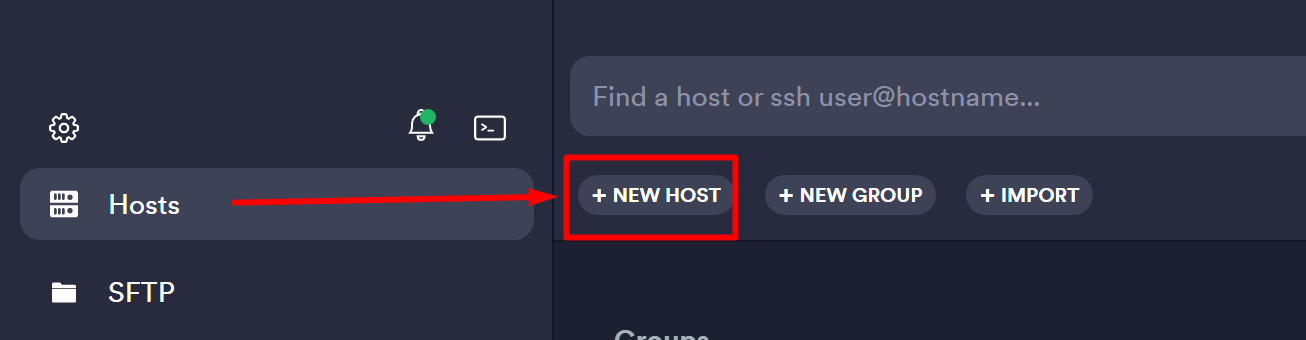
Open Termius and go to Hosts. Click + NEW HOST.
-
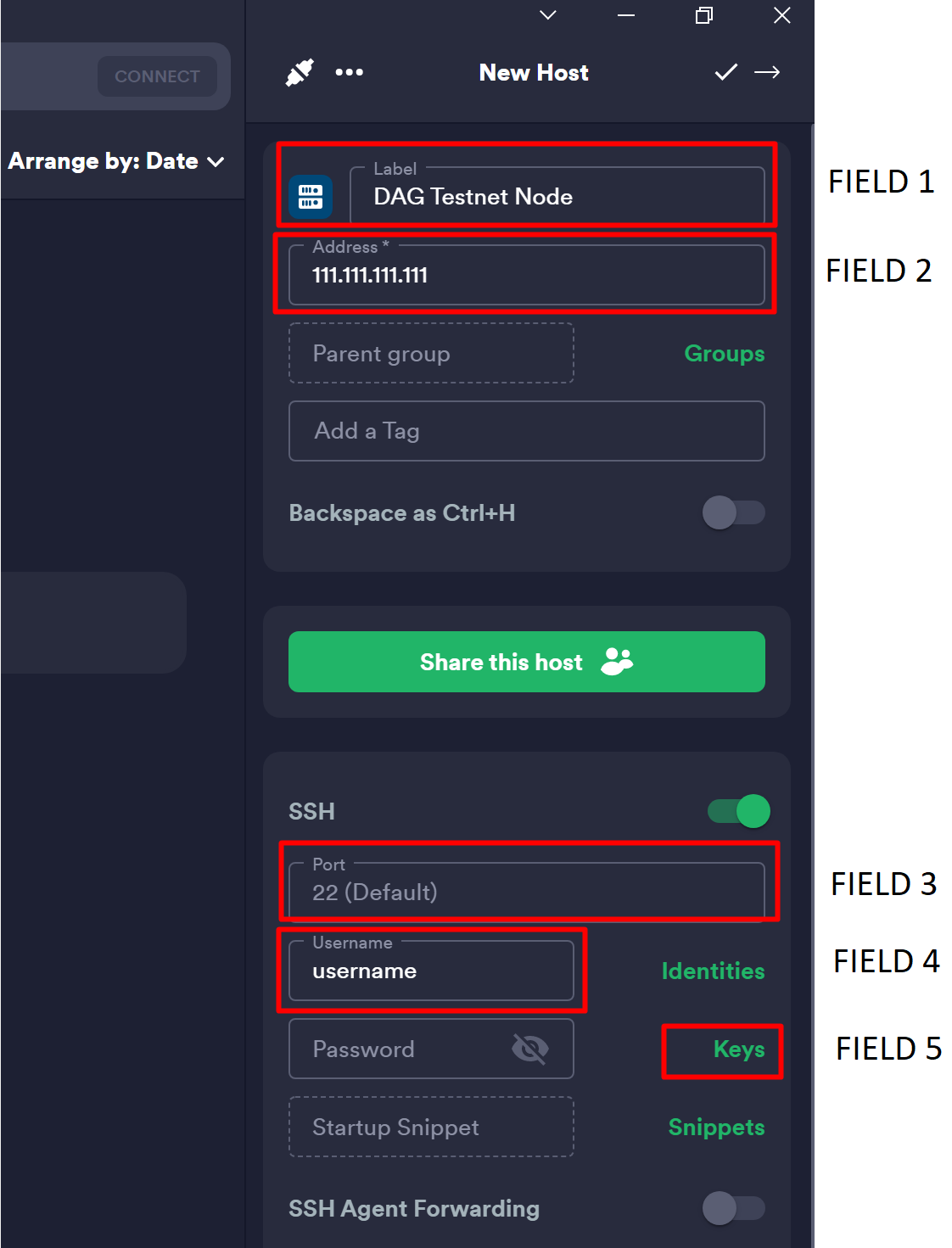
Fill in the form:
- Field 1: a name that lets you recognise the host (handy if you have several).
- Field 2: your node IP address.
- Field 3: leave empty if you use the default port 22.
- Field 4: your node username.
- Field 5: click Keys to import your SSH key.
-
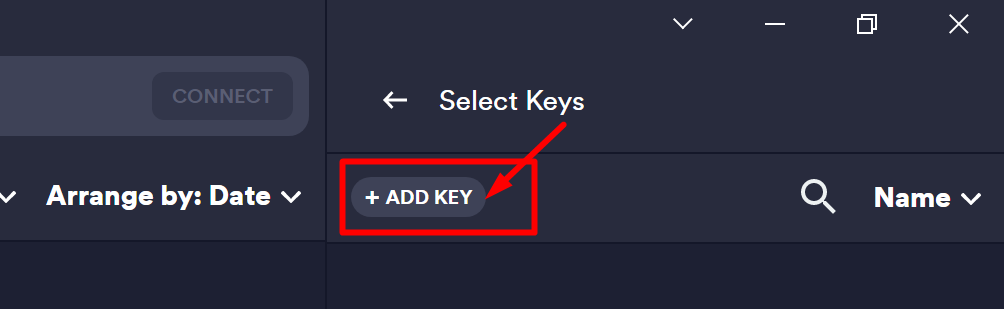
In the pane that opens, click + ADD KEY.
-
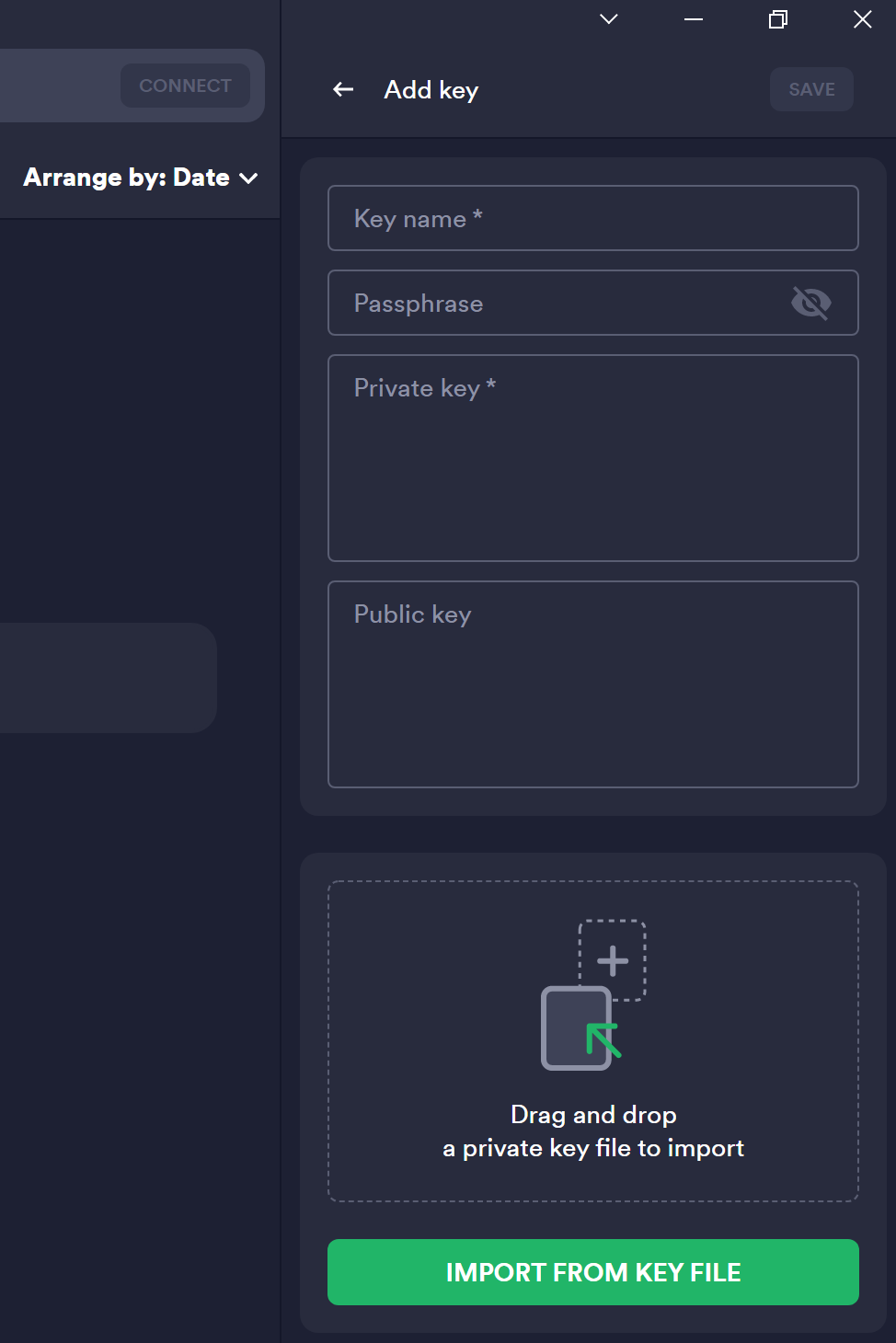
Fill in these fields:
- Key name: any label, for example
ssh-testnode-key. - Passphrase: your SSH private key passphrase.
- Click Import from key file and choose your SSH private key file. The private key area fills in automatically.
- Key name: any label, for example
- Click SAVE in the top-right corner. Your host is now configured.
2. Transfer files with SFTP
Once your node connection is configured, follow these steps to transfer files from and to your server.
How to use SFTP in Termius
-
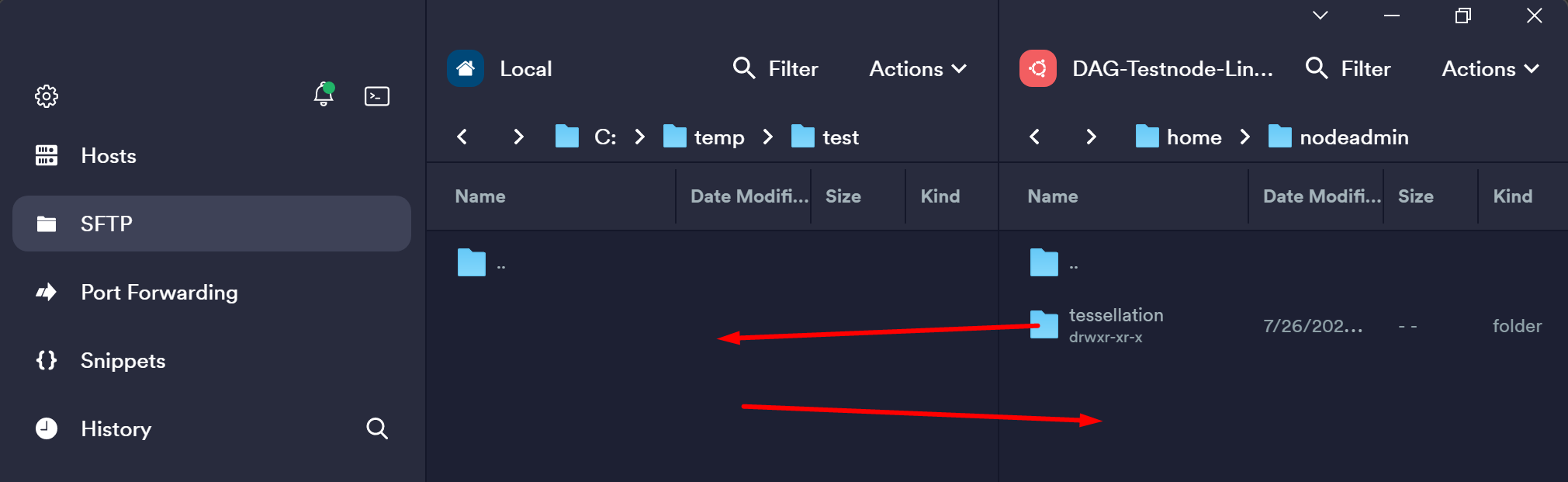
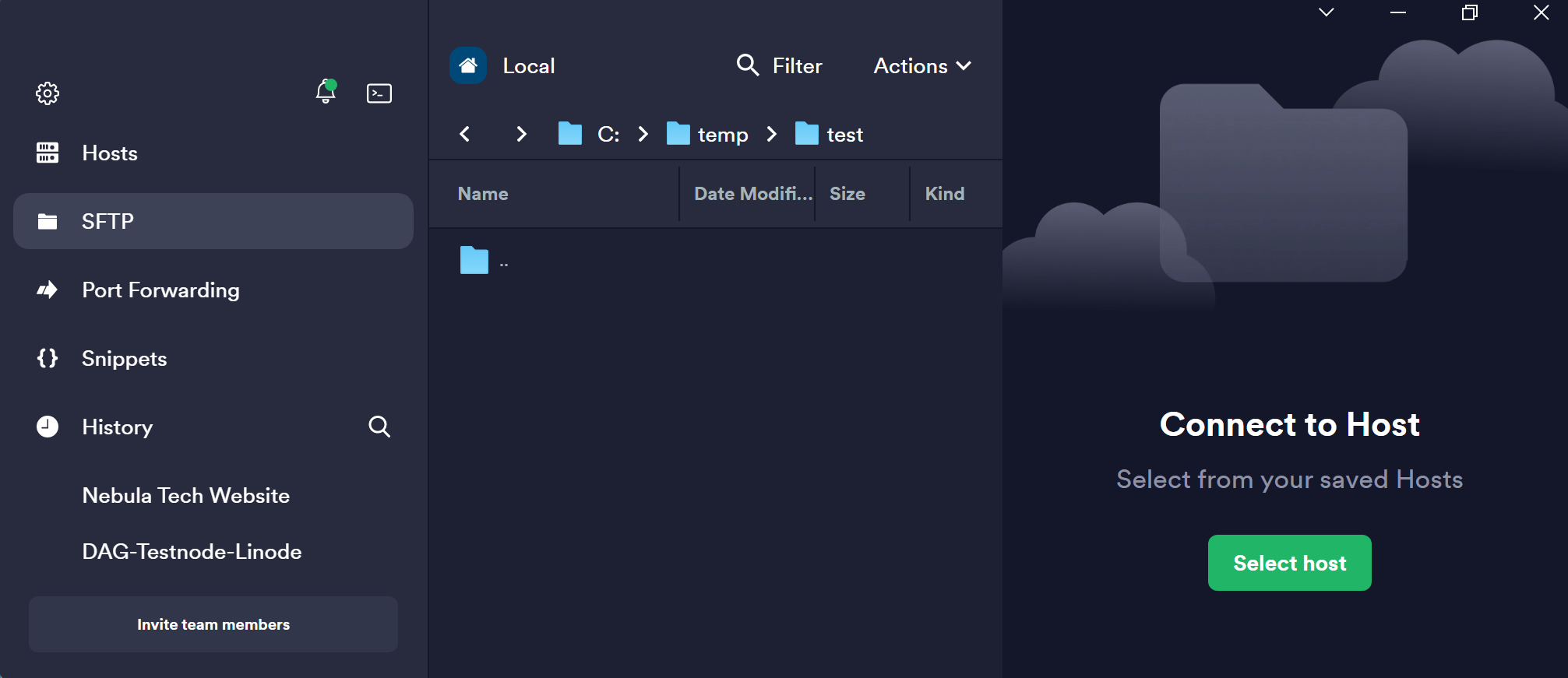
Open Termius and go to the SFTP tab. You'll see two panes where you can connect to hosts.
-
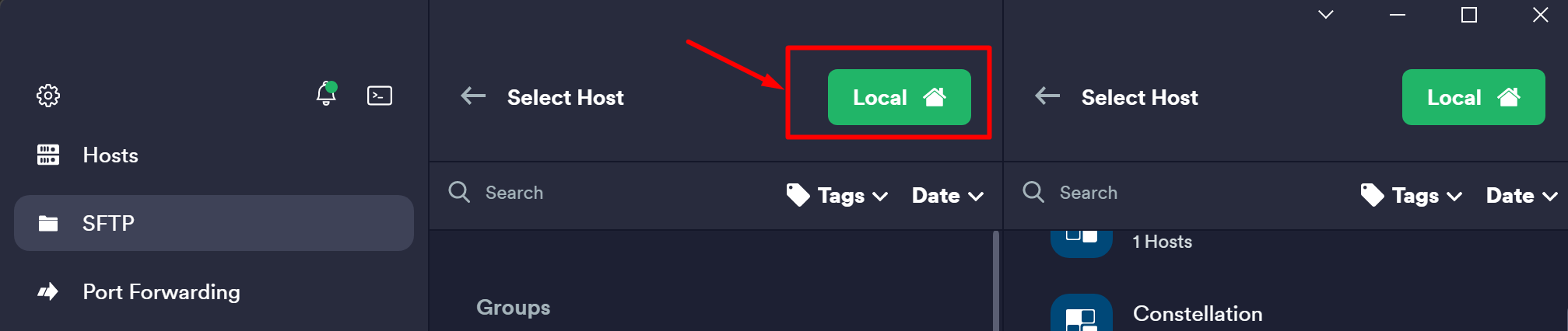
In the left pane, open a connection to Local if it isn't open already, and go to the folder on your computer you want to download to or upload from.
-
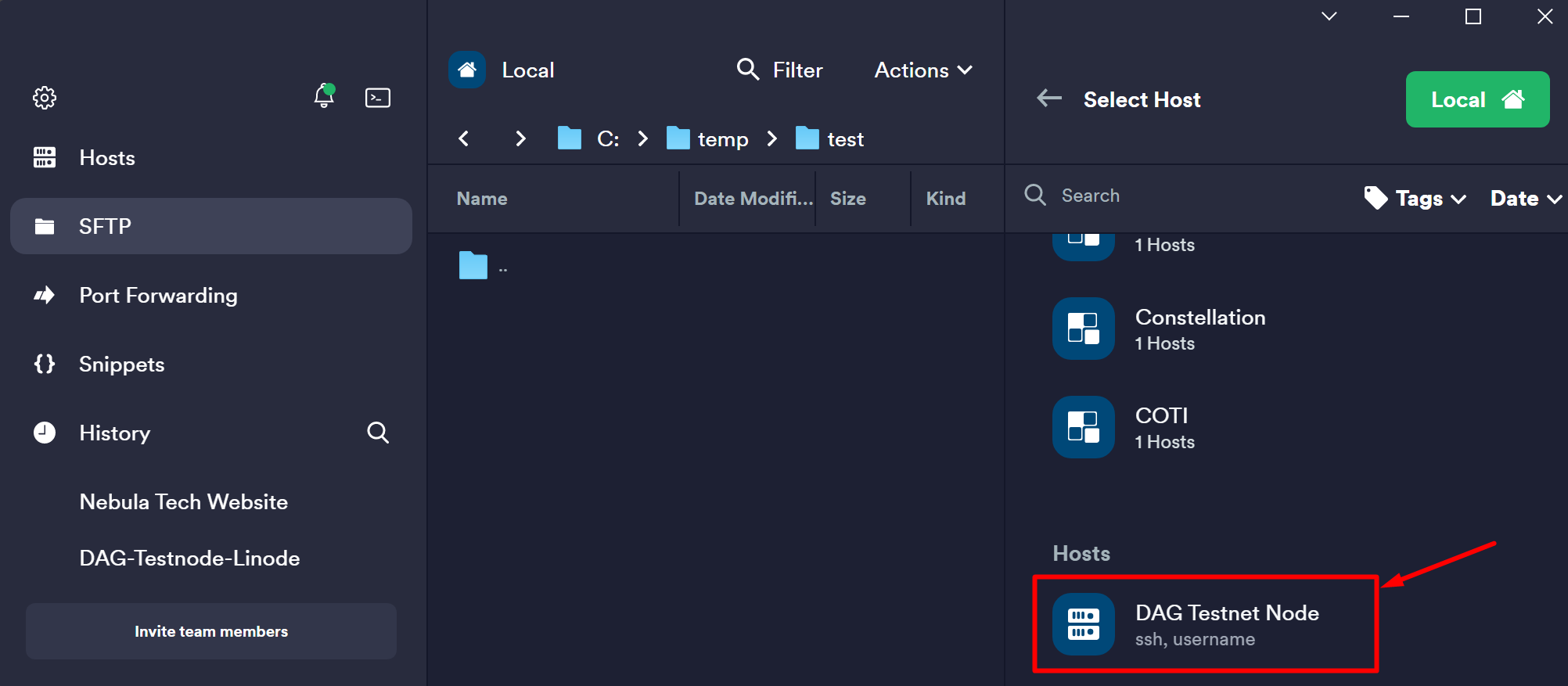
In the right pane, click Select Host and choose your node connection.
-
You can now drag and drop files between your computer and your node.